
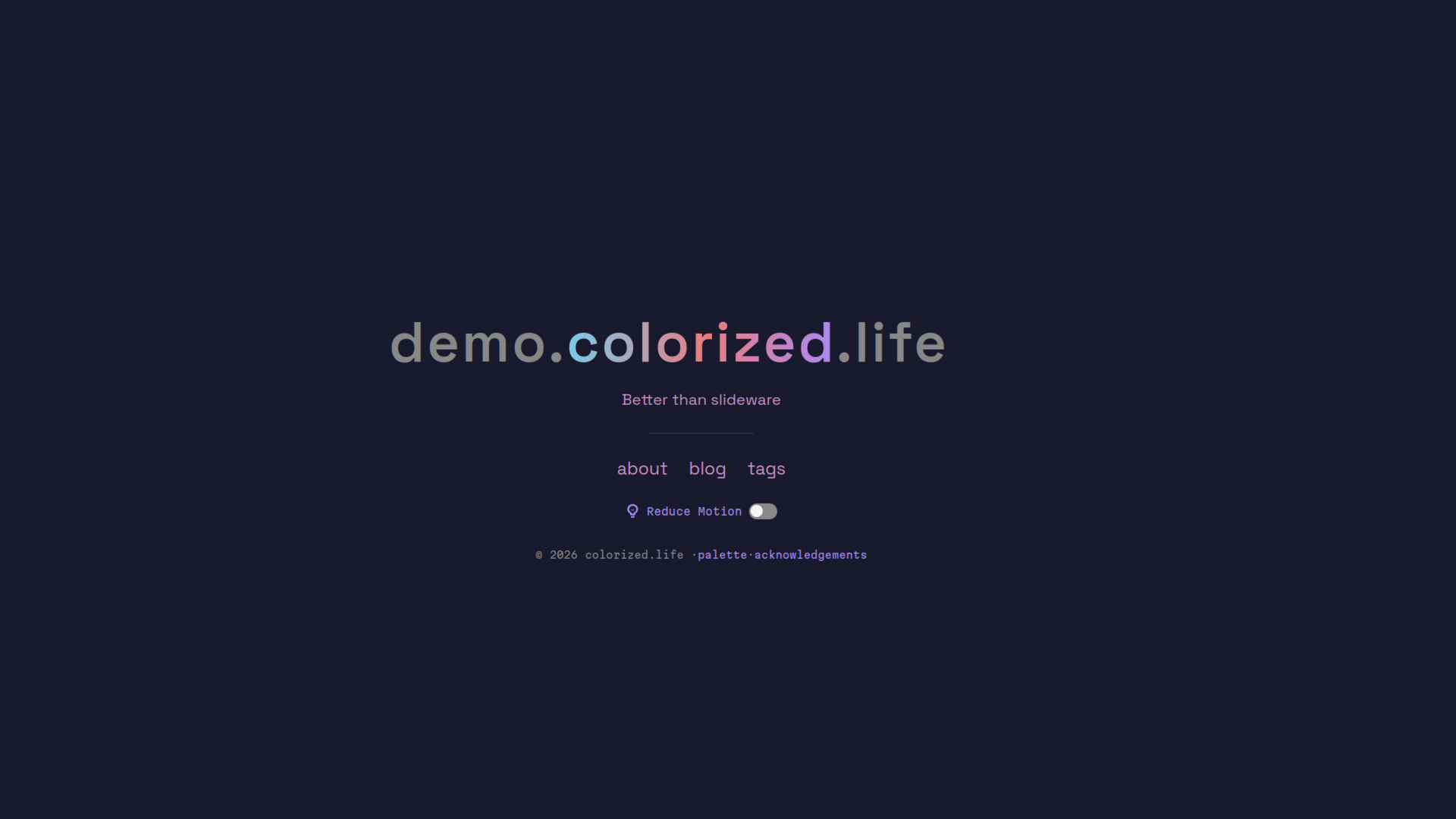
An opinionated dark-pastel Zola theme with a 6-color accent palette.
prefers-reduced-motion supportclamp()Requires Zola 0.23.4 or later; this demo is validated with 0.23.4.
From your Zola site's root, add the theme as a Git submodule:
git submodule add https://git.colorized.life/demo.colorized.life.git themes/colorizedAlternatively, clone it into the same directory:
git clone https://git.colorized.life/demo.colorized.life.git themes/colorizedSet the top-level theme = "colorized" in your site's zola.toml, as shown below.
Minimal consumer configuration in your site's zola.toml (top-level settings must precede [extra]):
base_url = "https://example.com"
title = "My Site"
theme = "colorized"
compile_sass = true
taxonomies = [{ name = "tags" }]
Create your own content, including /blog and /acknowledgements if you keep the default links, or customize those links to match your pages. For Atom feeds, enable generate_feeds = true and feed_filenames = ["atom.xml"] at the top level.
The active theme defaults below match [extra] in theme.toml. Copy overrides into your site's zola.toml:
[extra]
site_title = "My Site"
landing_subtitle = "A site built with the colorized theme"
copyright_holder = "Your Name"
nav_links = [
    { name = "blog", path = "/blog" },
    { name = "tags", path = "/tags" },
]
footer_links = [
    { name = "acknowledgements", path = "/acknowledgements" },
]
site_title supplies the landing page title and the default landing heading; explicit landing_chars overrides the heading. landing_subtitle supplies the text beneath it. Optional copyright_url falls back to config.base_url. Optional home_url sets the home navigation destination (for example, /home/ or an absolute URL); missing or empty values use the site root. The remaining optional keys are landing_chars, landing_center, colors, and cookie_domain, described below.
Navigation and footer entries accept name (display text), path (local path or absolute URL), and optional sitemap (include local paths in the sitemap). Templates render path directly; there is no url link key. Absolute source URLs work without a deployment redirect. Never set sitemap = true on external URLs.
Consumer customization example for a copyright destination (merge into your existing [extra] table):
[extra]
copyright_url = "https://example.com"
Branded demo navigation customization from the demo's zola.toml, including its source link:
[extra]
nav_links = [
    { name = "about", path = "/about" },
    { name = "blog", path = "/blog" },
    { name = "source", path = "https://git.colorized.life/demo.colorized.life/about/" },
    { name = "tags", path = "/tags" },
]The landing title supports two tiers:
When landing_chars is not set, the title renders as a single <span> with a slow color-cycling animation that matches the subtitle and nav links.
Consumer customization example:
[extra]
site_title = "My Site"Set landing_chars to control exactly how the title is split and styled. Each entry has a char (text content) and class (any CSS class).
Consumer customization example:
[extra]
landing_chars = [
    { char = "example", class = "shimmer" },
    { char = ".com", class = "c-muted" },
]Set landing_center (0-based index) to center a specific span on the page centerline. Spans before it balance to the left, spans after to the right.
Branded demo configuration example:
[extra]
landing_center = 1
landing_chars = [
    { char = "demo.", class = "c-muted" },
    { char = "colorized", class = "shimmer" },
    { char = ".life", class = "c-muted" },
]
When omitted, the title centers as a whole.
Available classes:
| Class | Color |
|---|---|
c-accent | Purple (#a78bfa) |
c-pink | Pink (#e8a0b4) |
c-green | Green (#7ec8a0) |
c-amber | Amber (#d4a76a) |
c-blue | Blue (#7ec8e8) |
c-red | Red (#e87e7e) |
c-muted | Muted gray (#888888) |
shimmer | Animated gradient cycling through all palette colors |
Color-class spans (c-accent, c-pink, etc.) animate with a staggered wave effect. The shimmer and c-muted classes are excluded from the wave animation.
Override any block in your own templates by extending base.html:
| Block | Description |
|---|---|
html_attrs | Attributes on the <html> element |
head_meta | Meta tags (charset, viewport, color-scheme, theme-color) |
head_styles | Stylesheet <link> tags |
head_scripts | Scripts in <head> |
title | Page <title> |
head | Additional <head> content |
nav | Entire navigation bar |
nav_left | Left nav group (site title link) |
nav_middle | Middle nav links |
nav_extra | Extra nav items |
content | Main page content |
footer | Entire footer |
footer_content | Footer text and links |
footer_toggle | Footer toggle controls (reduce-motion button) |
body_scripts | Scripts before </body> |
Add [extra.colors] to your zola.toml to override any color. Only the keys you specify change — the rest keep their defaults:
Consumer customization example:
[extra.colors]
accent = "#58a6ff"
bg = "#0d1117"
Available keys and defaults:
| Key | Default | Role |
|---|---|---|
bg | #1a1a2e | Page background |
codebg | #11111e | Code block background |
text | #f5f5f5 | Primary text |
muted | #888888 | Secondary text, borders |
accent | #a78bfa | Links, accents, highlights |
pink | #e8a0b4 | Palette pink |
green | #7ec8a0 | Palette green |
amber | #d4a76a | Palette amber |
blue | #7ec8e8 | Palette blue |
red | #e87e7e | Palette red |
surface | #2a2a40 | Panels, code headers |
For deeper customization (fonts, layout, or Sass-level changes), shadow the variables file:
cp themes/colorized/sass/_variables.scss sass/_variables.scssNote: Zola replaces the entire file, so include all variables when shadowing.
Components live in templates/components/ and are available in Markdown without imports. Text and HTML attributes are escaped. Optional text and thumbnail arguments default to empty strings.
shimmerRenders text with an animated gradient effect cycling through the palette colors.
{{/* <shimmer text="hello world" /> */}}asciiDisplays ASCII art in a <pre> block. Accepts either an external file or inline content.
Inline art trims outer whitespace (matching the former shortcode) and preserves interior indentation and line breaks. File art preserves all whitespace. For file art, pass src and the explicit colocated_path (both default to ""). In section content, use section.colocated_path instead of page.colocated_path.
From a file:
{{/* <ascii src="art/logo.txt" colocated_path={page.colocated_path} /> */}}Inline:
{%/* <ascii> */%}
⠀⠀⠀⠀⠀⠀⠀⠀⢀⣤⡶⢶⣦⡀
⠀⠀⠀⣴⡿⠟⠷⠆⣠⠋⠀⠀⠀⢸⣿
⠀⠀⠀⣿⡄⠀⠀⠀⠈⠀⠀⠀⠀⣾⡿
⠀⠀⠀⠹⣿⣦⡀⠀⠀⠀⠀⢀⣾⣿
⠀⠀⠀⠀⠈⠻⣿⣷⣦⣀⣠⣾⡿
⠀⠀⠀⠀⠀⠀⠀⠉⠻⢿⡿⠟
⠀⠀⠀⠀⠀⠀⠀⠀⠀⡟⠀⠀⠀⢠⠏⡆⠀⠀⠀⠀⠀⢀⣀⣤⣤⣤⣀⡀
⠀⠀⠀⠀⠀⡟⢦⡀⠇⠀⠀⣀⠞⠀⠀⠘⡀⢀⡠⠚⣉⠤⠂⠀⠀⠀⠈⠙⢦⡀
⠀⠀⠀⠀⠀⡇⠀⠉⠒⠊⠁⠀⠀⠀⠀⠀⠘⢧⠔⣉⠤⠒⠒⠉⠉⠀⠀⠀⠀⠹⣆
⠀⠀⠀⠀⠀⢰⠀⠀⠀⠀⠀⠀⠀⠀⠀⠀⠀⠀⠀⢻⠀⠀⣤⠶⠶⢶⡄⠀⠀⠀⠀⢹⡆
⠀⣀⠤⠒⠒⢺⠒⠀⠀⠀⠀⠀⠀⠀⠀⠤⠊⠀⢸⠀⡿⠀⡀⠀⣀⡟⠀⠀⠀⠀⢸⡇
⠈⠀⠀⣠⠴⠚⢯⡀⠐⠒⠚⠉⠀⢶⠂⠀⣀⠜⠀⢿⡀⠉⠚⠉⠀⠀⠀⠀⣠⠟
⠀⠠⠊⠀⠀⠀⠀⠙⠂⣴⠒⠒⣲⢔⠉⠉⣹⣞⣉⣈⠿⢦⣀⣀⣀⣠⡴⠟⠁
⠀⠀⠀⠀⠀⠀⠀⠀⠀⠀⠉⠉⠉⠀⠉⠉⠉
{%/* </ascii> */%}codelineRenders a single line of code in a <pre><code> block.
{{/* <codeline text="npm install" /> */}}imageEmbeds an image in a <figure> with optional caption, thumbnail, and floating position.
{{/* <image url="photo.jpg" alt="A caption beneath the image" content_path={page.path} /> */}}Parameters:
| Parameter | Required | Description |
|---|---|---|
url | yes | Image path (relative to the page, or absolute / external) |
alt | no | Alt text, also rendered as a <figcaption> |
url_min | no | Thumbnail path — displayed as the <img>, links to the full-size url |
content_path | no | Prefix for relative URLs; defaults to "". Pass {page.path} in page content or {section.path} in section content. |
position | no | Defaults to "" (no position class); left or right floats the image to that side so text wraps around it |
Floating example:
{{/* <image url="photo.jpg" url_min="photo_sm.jpg" alt="Floating right" position="right" content_path={page.path} /> */}}hrRenders a horizontal rule.
{{/* <hr /> */}}The theme respects prefers-reduced-motion: reduce at the OS level. A toggle button is also provided on both the landing page and in the site footer, storing the preference in a cookie. When cookie_domain is set in [extra] (e.g., cookie_domain = ".example.com"), the preference is shared across all subdomains.
When reduce-motion is active, all animations (color cycling, shimmer gradient, wave stagger) are disabled and elements display their static fallback colors.
The theme automatically extends Zola's sitemap with local nav/footer links marked
sitemap = true in your site's zola.toml. No template copy is needed:
[extra]
nav_links = [
    { name = "archive", path = "/archive/", sitemap = true },
]
Generated entries are preserved. Added URLs use the runtime base URL, retain explicit trailing slashes, and are XML-escaped. Duplicate URLs and external/protocol-relative links are skipped. Missing link lists or flags need no special configuration.
MIT; see LICENSE.