
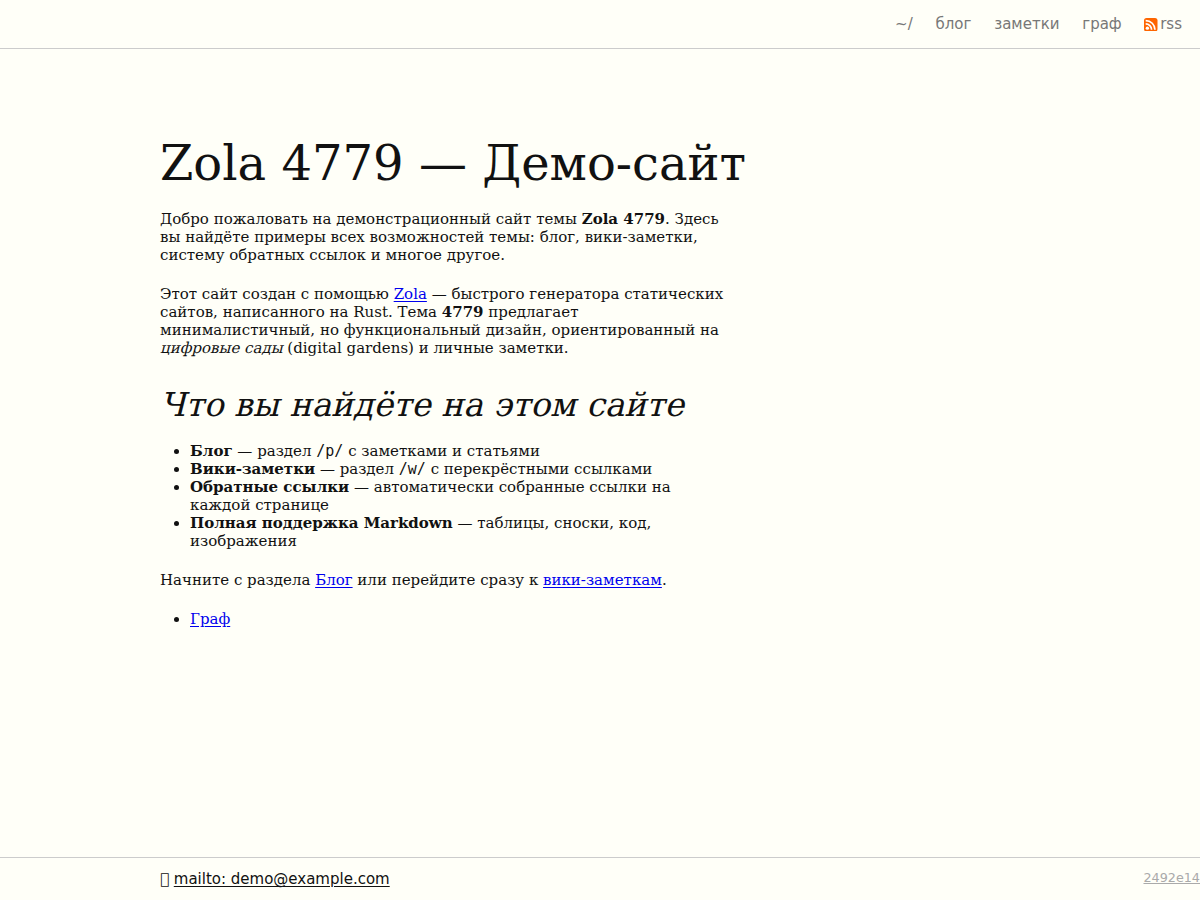

Digital garden theme for Zola — blog, wiki, backlinks, and D3.js link graph.
Designed for personal knowledge spaces where ideas grow over time. Combines a chronological blog, a wiki of interconnected notes, automatic backlinks, and an interactive force-directed graph of your entire site.
cd your-site/themes
git clone https://github.com/e4779/zola-harmless.git harmless
Add theme = "harmless" to your site's config.toml:
theme = "harmless"| Feature | Description |
|---|---|
| Blog + Wiki sections | /p/ for chronological posts, /w/ for evergreen wiki notes |
| Automatic backlinks | Every page shows which other pages link to it |
| D3.js link graph | Interactive force-directed graph at /graph/ |
| Tufte CSS design | Content at 55 % width, margin notes at 35 %, serif typography |
| Footnotes as margin notes | Footnotes render in the right margin, not at page bottom |
| Draw.io diagram embedding | Embed editable draw.io diagrams with {{/*/* drawio() */*/}} |
| Dark mode | Automatic, based on system prefers-color-scheme |
CSS @scope isolation | Component-scoped styles without class name collisions |
| RSS/Atom feed | Built-in feed at /p/atom.xml |
| Responsive design | Adapts gracefully from desktop to mobile |
| Marginnote shortcode | Tufte-style margin notes with {{/*/* marginnote() */*/}} |
Add a [extra] section to your site's config.toml:
[extra]

[extra.author]
name = "Your Name"
email = "you@example.com"

[extra.layout]
tufte_css = true     # Enable Tufte CSS (content at 55 %, margin notes at 35 %)

[extra.graph]
enabled = true # Enable D3.js graph at /graph/| Variable | Type | Default | Description |
|---|---|---|---|
extra.author.name | string | — | Author name, shown in footer |
extra.author.email | string | — | Author email, shown as mailto link |
extra.layout.tufte_css | bool | true | Enable Tufte-inspired typography & layout |
extra.graph.enabled | bool | true | Enable the D3.js link graph page |
Organise your content like this:
content/
├── _index.md              # Homepage
├── p/                     # Blog posts (chronological)
│   ├── _index.md          # Blog index section
│   ├── 2024-01-15-hello-world.md
│   └── 2024-02-20-some-post.md
├── w/                     # Wiki notes (evergreen, cross-linked)
│   ├── _index.md          # Wiki index section
│   └── some-note.md
└── graph.md # Graph page (template: graph.html)content/p/)Use date-prefixed filenames to control publication order:
+++
title = "My Post"
date = 2024-01-15
+++

Content here.content/w/)Wiki notes don't need date prefixes in filenames, though a date in frontmatter
is used for display:
+++
title = "A Wiki Note"
date = 2024-01-10
updated = 2024-06-01
+++

Content with [[internal links]] or plain markdown links.content/graph.md)+++
title = "Graph"
date = 2024-01-01
template = "graph.html"
+++
Description of the graph page.marginnote(body)Renders a Tufte-style margin note (appears in the right margin on desktop).
{{/*/* marginnote(body="This is a margin note.") */*/}}drawio(url, page)Embeds an interactive draw.io diagram using the mxgraph viewer.
{{/*/* drawio(url="/img/diagram.drawio", page=0) */*/}}| Parameter | Default | Description |
|---|---|---|
url | — | Path to the .drawio file |
page | 0 | Page index in the diagram |
Backlinks are automatic — no shortcode needed. Just link between your pages
using normal markdown links, and the build pipeline generates a backlinks.json
map that renders incoming links on every page.
The theme uses a double-build process to generate backlinks and a sitemap:
┌─────────┐    ┌──────────────┐    ┌─────────┐    ┌──────────────┐
│  Zola   │ →  │ backlinks.js │ →  │  Zola   │ →  │ sitemap.js   │
│ build 1 │    │ (reads HTML, │    │ build 2 │    │ (generates   │
│         │    │  writes JSON)│    │         │    │  sitemap.xml)│
└─────────┘ └──────────────┘ └─────────┘ └──────────────┘.html files, extracts internal links, and
writes backlinks.json into both static/ and public/backlinks.json available at compile
time so every page can render its backlinkssitemap.xml from the final outputThis is handled automatically by the Makefile:
make buildmake deps # Install Zola (0.22.1) and npm dependencies
make dev # Build + start dev server at http://127.0.0.1:1111
make test # Run Playwright integration tests
make clean # Remove build artifactsmake deps)MIT
