
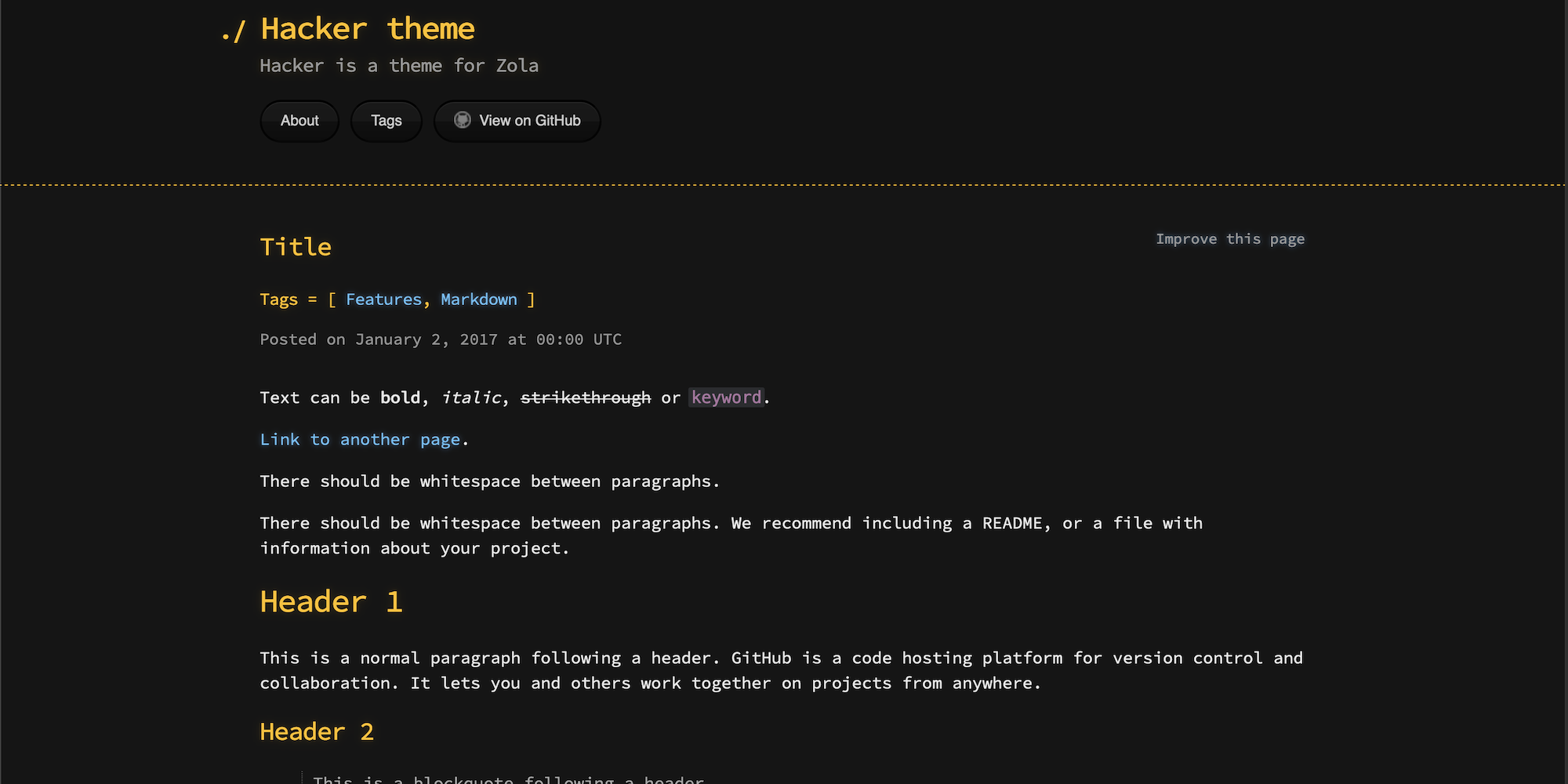
Zola Hacker is a minimalistic theme for Zola, inspired by the Hacker theme for Jekyll. It is designed for developers who want to write blogs.
Before using the theme, you need to install the Zola ≥ 0.23.4.
git clone git@github.com:en9inerd/zola-hacker.git
cd zola-hacker
zola serve
# open http://127.0.0.1:1111/ in the browserJust earlier we showed you how to run the theme directly. Now we start to install the theme in an existing site step by step.
zola init mysiteDownload this theme to your themes directory:
cd mysite/themes
git clone git@github.com:en9inerd/zola-hacker.git
Or install as a submodule:
cd mysite
git init  # if your project is a git repository already, ignore this command
git submodule add git@github.com:en9inerd/zola-hacker.git themes/hackerEnable the theme in your zola.toml in the site directory:
theme = "hacker"Or copy the zola.toml from the theme directory to your project's
root directory:
cp themes/hacker/zola.toml zola.tomlYou can copy the content from the theme directory to your project:
cp -r themes/hacker/content .You can modify or add new posts in the content/posts, content/pages or other
content directories as needed.
Just run zola serve in the root path of the project:
zola serveThis command will start the Zola development web server accessible by default at
http://127.0.0.1:1111. Saved changes will live reload in the browser.
You can customize your configurations, templates and content for yourself. Look
at the zola.toml, theme.toml, content files and templates files in this
repo for an idea.
There are some configuration options that you can customize in zola.toml.
extra optionsSet the tags taxonomy in the zola.toml:
taxonomies = [
    { name = "tags" },
]extraThe following options should be under the [extra] in zola.toml
language_code - set HTML file language (default to en-US)title_separator - the separator to your site title, like | and - (defaults to |)logo - path to the logo imagegoogle_analytics - Google Analytics tracking IDtimeformat - the timeformat for the blog article published datetimezone - the timezone for the blog article published dateedit_page - whether to show the edit page in the github repo for your postsmenu - set the menu items for your sitecontact_form_script_id - the script id for the contact form based on Google Script[extra.github] - set the GitHub metadata for your site[extra.giscus] - set the Giscus settings for your site to enable the comments. Please use own settings from the Giscus website[extra.opengraph] - set the Open Graph metadata for your site[extra.pgp_key] - set pgp key in the footer for certain pagessocial_links - set the social media links in the footer
...All pages extend the base.html, and you can customize them as need.
The theme provides some components to help you write your content. Zola 0.23
replaced shortcodes with Tera components,
so they are called with the {{/*<name ... />*/}} syntax instead of name().
Components are hygienic: they only see the arguments you pass, so config (and
page, where the component reads front matter) must be passed explicitly. Values
that are not strings are wrapped in braces, for example size={100}.
contact_form
The contact_form component is based on Google Apps Mail to send emails without a server.
It depends on contact_form_script_id in the zola.toml.
{{/*<contact_form config />*/}}cv
The cv component is used to display the CV in the page. Data for CV is stored in yaml format in the data/cv directory.
{{/*<cv config />*/}}github_avatar
The github_avatar component is used to display the GitHub avatar image. It depends on extra.github.username in the zola.toml. Also, you can pass size as an argument.
{{/*<github_avatar config size={100} />*/}}projects
The projects component is used to display repositories from GitHub. It depends on extra.github.username in the zola.toml and extra.repo_names in page front matter to filter the repositories.
{{/*<projects page config />*/}}Zola 0.23 removed shortcodes and macros, so upgrading is a breaking change:
{%/* import "macros.html" as macros */%}; components are registered
globally and no longer need importing. Calls such as macros::seo(...) become
{{/*<seo ... />*/}}.base.html, note that the lang variable was renamed to
html_lang — it shadowed Zola's own lang and broke get_section.We use GitHub Issues as the official bug tracker for the Zola Hacker Theme. Please search existing issues. It’s possible someone has already reported the same problem.
If your problem or idea is not addressed yet, open a new issue.
Zola Hacker Theme is distributed under the terms of the MIT license.